

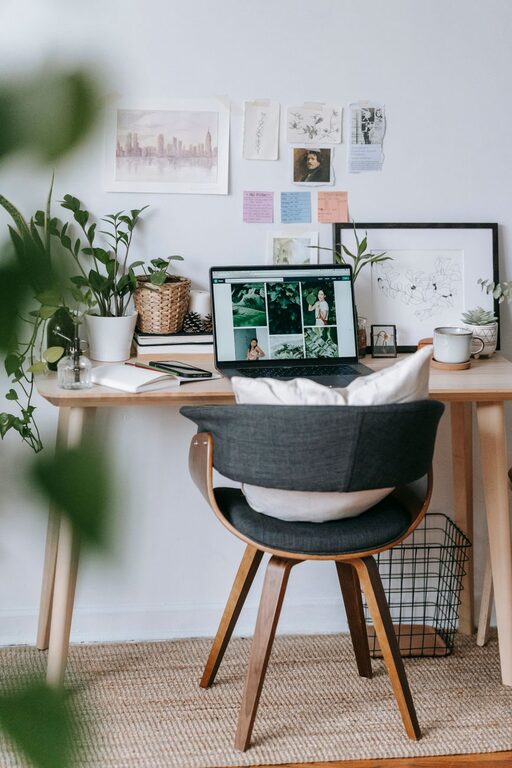
Creating a cozy and productive home office space is essential for anyone working remotely or spending significant time on personal projects at home. A well-designed workspace can boost focus, reduce stress, and enhance your overall work experience. Whether you have a dedicated room or a small corner, here are practical tips to help you craft an inviting and efficient home office.
Choose the Right Location
Consider Natural Light
Natural light is a key factor in creating a comfortable workspace. If possible, set up your office near a window. Exposure to daylight improves mood and energy, making it easier to concentrate.
Minimize Distractions
Select a quiet area where you can focus without frequent interruptions. Avoid spaces that are high-traffic or close to noisy appliances and family activities.
Invest in Comfortable Furniture
Ergonomic Chair
A supportive chair designed for long hours at a desk prevents discomfort and helps maintain good posture. Look for adjustable features like seat height, lumbar support, and armrests.
Functional Desk
Choose a desk that fits your space and meets your work needs. Whether a traditional desk or a standing workstation, it should be large enough to hold your computer, supplies, and any additional equipment.
Organize Your Workspace
Declutter Regularly
A tidy desk helps clear your mind. Keep only essential items within arm’s reach and store the rest in drawers or shelves.
Use Storage Solutions
Incorporate shelves, filing cabinets, or organizers to keep papers, cables, and office supplies neatly arranged. Labeling boxes or folders can save time when searching for documents.
Personalize Your Space
Add Comfort Elements
Soft furnishings like cushions, a small rug, or a cozy throw blanket can make the space feel warmer and more inviting.
Bring in Plants
Houseplants add a touch of nature and can improve air quality. Choose low-maintenance varieties like succulents or pothos that thrive indoors.
Display Inspirational Items
Placing artwork, photos, or motivational quotes in your office can boost creativity and keep you motivated throughout the day.
Optimize Lighting
Combine Ambient and Task Lighting
Use a mix of overhead lighting and task lights like desk lamps to reduce eye strain. Adjustable lamps help you direct light where it’s needed most.
Avoid Glare
Position monitors and screens to avoid reflections from windows or lights. Using blinds or curtains can help control sunlight.
Manage Technology Efficiently
Cable Management
Use clips, sleeves, or cable boxes to keep wires organized and off your desk. This prevents tangling and maintains a neat appearance.
Reliable Equipment
Invest in a quality computer, printer, and other necessary devices to avoid frustration caused by technical issues.
Establish a Routine
Designate Work Hours
Even at home, setting clear work hours helps separate professional and personal life. Make sure your workspace signals these boundaries.
Take Breaks
Schedule short breaks to stretch, walk, or rest your eyes. This can improve productivity and reduce fatigue.
Keep Air Quality and Temperature Comfortable
Ventilation
Good airflow helps keep your workspace fresh. Open windows when possible, or use a fan or air purifier.
Temperature Control
Maintain a comfortable temperature with a heater, fan, or thermostat adjustments. Being too hot or cold can distract you from work.
Final Thoughts
Designing your home office to be both cozy and productive doesn’t require a large budget or space. Thoughtful choices about layout, lighting, comfort, and organization can transform your work environment. By creating a space that supports focus and well-being, you’ll find working from home more enjoyable and effective.